Dynamic Trees Mod: forests that grow from a single seed
Dynamic Trees replaces Minecraft's fixed trees with living ones. They sprout from seeds, thicken with age and come down branch by branch when you cut them.
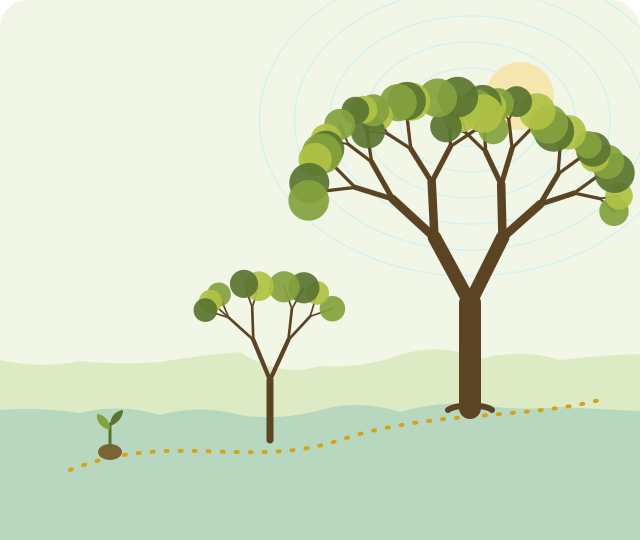 Plant a seed
Branches grow in steps
Trunks thicken with age
Plant a seed
Branches grow in steps
Trunks thicken with age
What is Dynamic Trees Mod?
Dynamic Trees is a Minecraft: Java Edition mod that treats trees as things that grow instead of structures that appear fully formed.
In vanilla Minecraft a sapling becomes a finished tree in a single moment, and cutting the bottom log leaves the rest hanging in the air. Dynamic Trees changes both. Trees start small, add branches over time and develop thicker trunks as they age. When you cut through a trunk or limb, everything above the cut falls.
Mature trees produce seeds, and those seeds can be planted by hand or take root nearby, so forests change while you play. The mod was created by Ferreusveritas and is developed by the Dynamic Trees team. Its add-ons carry the same behaviour to other plants and to trees from other mods.
This site explains how the mod works, which version to pick and how to install it. The files themselves come from the project, not from us.
Dynamic Trees features along the trail
Six changes you notice the first time you walk into a Dynamic Trees forest.
-
Trees that grow from seed
Every tree starts small and adds branches in steps, so a forest holds trees of many different ages.
-
Trunks that thicken over time
Lower branches and trunks grow thicker to support what is above them, giving old trees a heavy, natural base.
-
Felling that follows the branches
Cut through a trunk or limb and the section above comes down with it. No floating leftover logs.
-
Seeds and spreading forests
Mature trees produce seeds you can collect and plant, and seeds can take root nearby on their own.
-
Dynamic world generation
Newly generated terrain gets dynamic trees in place of the standard ones.
-
An ecosystem of add-ons
Dynamic Trees Plus covers non-tree plants, and compatibility add-ons bring trees from other mods into the system.
How Dynamic Trees works, from install to first forest
Four checkpoints get you from an empty mods folder to a growing forest.
-
Choose your version and loader
Pick the Minecraft version you play and install the loader its Dynamic Trees file was built for: Forge on older versions, NeoForge on the current 1.21.1 branch.
-
Get the mod jar
Download a prebuilt jar from the project's listings or build it from the GitHub source with the included Gradle wrapper.
-
Add it to the mods folder
Copy the jar into the mods folder of your game profile, with any add-ons that match the same version.
-
Launch and explore a new world
Start the game, confirm the mod loads and create a new world to see trees grow, thicken and fall.
Who Dynamic Trees suits
It changes a lot about how the world looks and plays. These are the setups where that change pays off.
- Survival forestryTree farming becomes planning: where to plant, when to cut and where the tree will land.
- Long-running worldsForests keep changing over months of play instead of staying frozen after generation.
- Modpack buildingA well-known base for packs focused on nature, farming or exploration, with add-ons for popular biome mods.
- Multiplayer serversShared worlds where players see woodland grow back, or not, depending on how it is managed.
- Builds and screenshotsTrees of different ages and thicknesses give landscapes more variety than repeated vanilla shapes.
Dynamic Trees compatibility
What the project's repository shows about versions, loaders and platforms.
| Area | Status | Notes |
|---|---|---|
| Minecraft edition | Java EditionNot Bedrock | Runs through a Java mod loader. No Bedrock, Pocket Edition or console version. |
| Minecraft versions | 1.7.10 to 1.21.1 | Release branches exist for 1.7.10, 1.10.2, 1.11.2, 1.12.2, 1.16.5, 1.18.2, 1.19.2, 1.20.1 and 1.21.1. The default branch targets 1.21.1. |
| Forge | Older versions | The mod was a Forge mod for most of its history. Use the loader named on the file page for your version. |
| NeoForge | 1.21.1 branch | The current branch's configuration builds for NeoForge. |
| Fabric | Beta on 1.21.1 | The 1.21.1 configuration marks the Fabric build as beta. Keep backups. |
| Java | Follows Minecraft | The 1.21.1 branch declares Java 21. Older versions use older Java. |
| Multiplayer | Server and client | Install the same versions of the mod and add-ons on the server and every player's game. |
Based on the repository's branches and build configuration. File pages on the project's listings are the final word for a specific jar.
Dynamic Trees field guides
Step-by-step help for the questions players ask most.
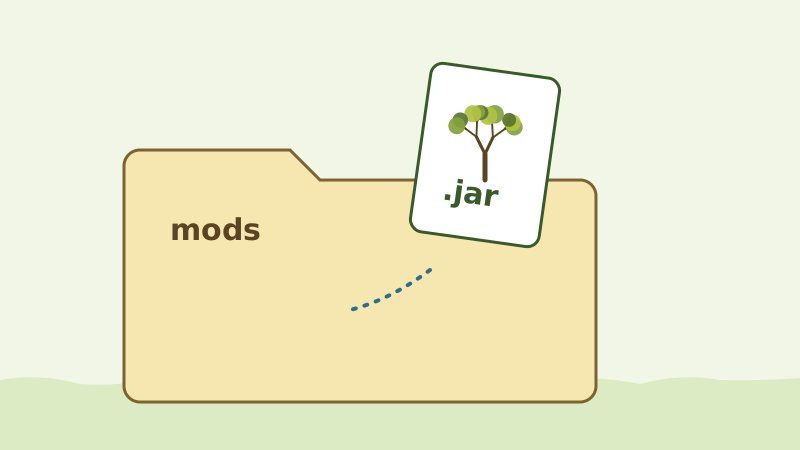
How to install Dynamic Trees on Minecraft Java Edition
Match your Minecraft version and loader, drop the jar into the mods folder, then test in a new world.
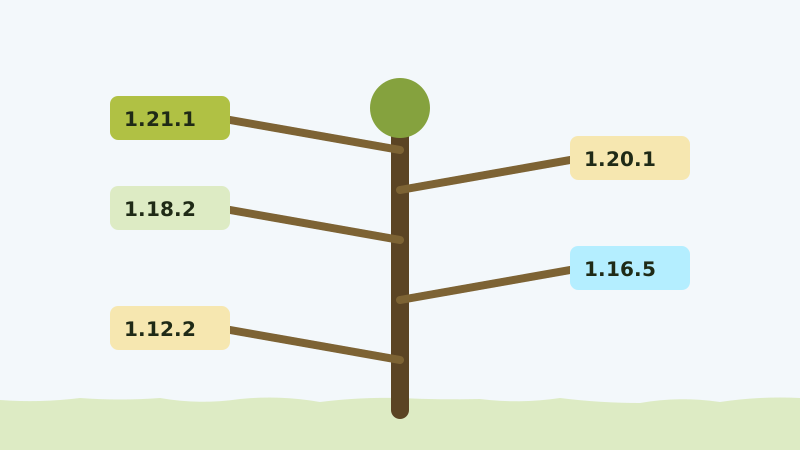 Version guide
Choosing the right Dynamic Trees version and loader
How Minecraft versions, loaders and the CurseForge and Modrinth listings fit together.
 Troubleshooting
Fixing common Dynamic Trees crashes and errors
Crashes on launch, missing trees, source ZIPs, add-on mismatches and server errors.
 Add-on guide
Dynamic Trees Plus explained
The official extension that brings dynamic behaviour to non-tree plants.
Install Dynamic Trees in six steps
A checklist version of the full guide. Tick through it in order and most installs work on the first launch.
-
Back up your worlds
Copy any world you plan to open into a safe folder. Dynamic Trees changes world generation and blocks.
-
Install the matching loader
Create a profile for your Minecraft version and install its loader. Launch it once without mods.
-
Get the right jar
Use a prebuilt jar for your version and loader, or build one from the GitHub source. A source ZIP is not a mod.
-
Add the jar to the mods folder
Place it in the mods folder of the profile you just created.
-
Add optional add-ons
Dynamic Trees Plus or compatibility add-ons go in the same folder, on matching versions.
-
Launch and create a new world
Confirm the mod loads, then test in fresh terrain where the new trees generate.
Download Dynamic Trees Mod
The button below opens the Dynamic Trees project repository on GitHub, maintained by the Dynamic Trees team.
- Source code and build instructions for each Minecraft version branch
- Links from the README to the project's CurseForge and Modrinth pages, where prebuilt jars are listed
- For Minecraft: Java Edition; the loader depends on your version
You will leave this site. We do not host or modify any files. A ZIP of the repository is source code, not an installable mod; use a built jar in your mods folder. Not sure which file you need? Read choosing the right version and loader.
Dynamic Trees release information
What the repository's current default branch declares.
Read from the repository's build configuration in September 2026. The same file credits MaxHyper as current developer, with Harley O'Connor, Nyfaria and SizeableShrimp credited for tree packs and version ports. Versions move as the team pushes updates, so check the project's file listings for the latest release.
Dynamic Trees pros and cons
What works well
- Trees that grow, age and thicken make forests feel alive.
- Felling removes the section above the cut with no floating logs.
- Seeds and spreading turn forestry into real gameplay.
- Add-ons extend the system to other plants and mods.
- Open source under the MIT license, with a long version history.
What to weigh up
- Changes the look of every forest, which some builders do not want.
- Trees from other mods need a separate compatibility add-on.
- Matching versions and loaders takes care, especially with add-ons.
- Growing trees add work in large modpacks.
- Removing it mid-world can leave broken or missing trees.
Troubleshooting Dynamic Trees
Quick answers for the problems that come up most. The full the guide to crash and error fixes goes further.
The game crashes on launch
The jar usually targets a different Minecraft version or loader. Compare the file name with your profile and check the loader.
The mod is not in the mod list
Check that the jar is in the mods folder of the profile you launched and that the profile has a loader installed.
I put the downloaded ZIP in mods and nothing happens
A repository ZIP is source code. Build a jar with the Gradle wrapper or use a prebuilt jar from the project's listings.
Trees look exactly like vanilla
Those chunks were generated before installing, or the trees come from another mod that needs its own compatibility add-on.
It crashes after adding an add-on
Remove the newest jar and relaunch. Then find the add-on release that matches your Dynamic Trees version.
I cannot join a modded server
The server and every player need the same versions of Dynamic Trees and its add-ons.
Safety notice
- Get Dynamic Trees from the project's GitHub repository or its own CurseForge and Modrinth listings, not from re-upload sites.
- A Minecraft mod is a
.jarfile. Do not run an.exethat claims to install it. - Back up your worlds before installing, updating or removing the mod.
- This site does not host, scan or modify any files, and cannot vouch for files from other sources.
Dynamic Trees FAQ
Twenty answers in two chapters: getting the mod running, and what it does to the trees in your world.
Getting it running
Dynamic Trees is a mod for Minecraft: Java Edition that replaces standard trees with trees that grow from seeds, thicken as they age and fall according to their branch structure when you cut them. It was created by Ferreusveritas and is developed by the Dynamic Trees team.
It depends on the Minecraft version. Older releases were built for Forge. The repository's current 1.21.1 branch builds for NeoForge, and its configuration marks the Fabric build as beta. Check the loader named on the file page for your version.
The project's GitHub repository has release branches from 1.7.10 up to 1.21.1, including 1.12.2, 1.16.5, 1.18.2, 1.19.2 and 1.20.1. Not every branch receives the same updates; active development follows the newest supported version.
The main download button opens the project's GitHub repository. It holds the source code and build instructions, and its README links to the CurseForge and Modrinth pages where prebuilt jars are listed by version.
Yes. The repository README links to a Modrinth project page as well as a CurseForge page. On either one, filter by your Minecraft version and loader before downloading.
No. Dynamic Trees is a Java Edition mod that runs through a Java mod loader. It does not install on Bedrock, Pocket Edition or console versions.
For multiplayer, content mods like Dynamic Trees generally need to be installed on the server and on every player's game, with identical versions of the mod and its add-ons.
You can load an existing world with it, but chunks that were already generated keep their original trees; new trees appear in newly generated terrain. Back up the world before trying.
It follows the Minecraft version. The 1.21.1 branch declares Java 21. Most launchers supply the right Java automatically; if you build from source, install the matching JDK.
Removing a mod that changes world generation and blocks can leave missing or broken trees in areas you visited. Keep a backup from before you installed it and test removal on a copy of the world first.
Trees in your world
A seed becomes a small tree, and each growth step adds to its branches and canopy. Over time the trunk and lower branches thicken, so young and old trees of the same species look different.
Cutting through a trunk or branch brings down the section above the cut. Cutting near the base harvests most of the tree at once, while cutting higher removes only a limb. No floating logs are left behind.
Mature trees produce seeds that you can collect and plant to start new trees of the same species.
Seeds can take root in the surrounding area, so untouched forests slowly change over time. That idea of forests that spread is part of how the mod describes itself.
Dynamic Trees Plus is an official extension that brings dynamic behaviour to plants that are not trees, such as cacti and mushrooms. It needs Dynamic Trees installed on a matching version.
It connects Dynamic Trees and Biomes O' Plenty so that trees in Biomes O' Plenty biomes grow, thicken and fall dynamically. You need both main mods installed alongside it.
Either the chunk was generated before the mod was installed, or the tree comes from another mod that needs its own compatibility add-on.
The mod generates a config file with growth-related options. Names and defaults change between versions, so open the file created for your version and read the comments before changing values.
Growing trees do more work than static ones. In a light setup it is rarely noticeable; in large modpacks it adds to the total load. Watch frame rate with F3, allocate sensible memory and keep the mod list focused.
No. Mods with realistic in the name often reshape trees when the world is generated, and those trees then stay fixed. Dynamic Trees changes how trees behave over time. Read each mod's own description before combining them.